HOME » Page 6

Blog

  • Email sequence for a startup SAAS company

    Email sequence for a startup SAAS company

    For a startup SaaS company, an effective email sequence is crucial for nurturing leads, onboarding users, driving product adoption, and retaining customers. Here’s a suggested sequence, broken down by stages of the customer journey, along with best practices:

    Key Principles for all SaaS Email Sequences:

    • Personalization: Address users by name and tailor content based on their behavior, role, industry, and product usage.
    • Segmentation: Group users based on their lifecycle stage (lead, trial user, paying customer, churn risk), feature usage, engagement level, etc.
    • Clear Call-to-Actions (CTAs): Each email should have a single, clear, and compelling CTA.
    • Value-Driven Content: Focus on how your product solves their problems and provides benefits. Avoid jargon.
    • Conciseness: Keep emails short, to the point, and easy to digest.
    • Mobile-Friendly Design: Ensure your emails look good and are readable on all devices.
    • Branding: Maintain a consistent brand voice and visual identity.
    • A/B Testing: Continuously test subject lines, content, CTAs, and sending times to optimize performance.
    • Analytics: Track open rates, click-through rates, conversion rates, and unsubscribe rates to measure success and identify areas for improvement.1

    I. Lead Nurturing Sequence (Pre-Signup)

    Goal: Educate potential leads about your solution, build trust, and encourage them to sign up for a free trial or demo.

    • Email 1: Welcome & Value Proposition
      • Trigger: Lead signs up for a newsletter, downloads a lead magnet (e.g., ebook, whitepaper), or attends a webinar.
      • Subject Line: Welcome to [Your Company]! Here’s your [Lead Magnet/What to Expect]
      • Content:
        • Thank them for their interest.
        • Deliver the promised lead magnet or briefly introduce your company and its core value proposition (what problem do you solve?).
        • Set expectations for future emails (e.g., “In the coming weeks, we’ll share tips on X, Y, Z”).
        • CTA: Access [Lead Magnet] / Learn more about [Your Product].
    • Email 2: Problem & Solution
      • Trigger: 2-3 days after Email 1.
      • Subject Line: Are you struggling with [Problem]? We can help.
      • Content:
        • Empathize with a common pain point your target audience faces.
        • Briefly explain how your SaaS product addresses this specific problem.
        • Share a relevant blog post, case study, or success story.
        • CTA: See how [Your Product] solves [Problem] / Read our success story.
    • Email 3: Feature Highlight / Use Case
      • Trigger: 3-4 days after Email 2.
      • Subject Line: Unlock [Specific Benefit] with [Your Product Feature]
      • Content:
        • Focus on one key feature or a specific use case of your product.
        • Explain its benefits in simple terms.
        • Include a short video demo or screenshot if possible.
        • CTA: Explore [Feature Name] / Try [Your Product] for Free.
    • Email 4: Social Proof / Testimonial
      • Trigger: 3-4 days after Email 3.
      • Subject Line: Don’t just take our word for it: See what [Customer Name] says!
      • Content:
        • Share a compelling customer testimonial or a snippet from a case study.
        • Highlight quantifiable results if available.
        • CTA: Read more customer stories / Start your free trial.
    • Email 5: Soft Sales Pitch / Demo Invitation
      • Trigger: 2-3 days after Email 4.
      • Subject Line: Ready to experience the power of [Your Product]?
      • Content:
        • Recap the main benefits.
        • Address common objections or questions subtly.
        • Offer a clear path to conversion.
        • CTA: Start your free trial / Schedule a demo.

    II. Onboarding Sequence (Post-Signup/Free Trial)

    Goal: Help new users quickly achieve their “Aha! moment,” understand the product’s core value, and become active users. This sequence is often triggered by user actions.

    • Email 1: Warm Welcome & First Steps
      • Trigger: Immediately after signup (free trial or paid).
      • Subject Line: Welcome to [Your Product Name], [User Name]! Here’s how to get started.
      • Content:
        • Enthusiastic welcome and thank you.
        • Login link.
        • One to three clear, easy “first steps” or a quick-start guide.
        • Brief overview of what to expect in the trial/onboarding.
        • CTA: Log in to your account / Complete your profile.
    • Email 2: Highlight a Key Feature & Its Benefit
      • Trigger: 1-2 days after Email 1, or if a specific activation milestone hasn’t been met.
      • Subject Line: Achieve [Specific Goal] with [Feature Name] in [Your Product]
      • Content:
        • Focus on one core feature that delivers immediate value.
        • Explain how to use it and why it’s beneficial for them.
        • Include a short tutorial video or link to a relevant help article.
        • CTA: Try [Feature Name] now / Watch the tutorial.
    • Email 3: Advanced Tip / Workflow Optimization
      • Trigger: 2-3 days after Email 2, or if they’ve engaged with the previous feature.
      • Subject Line: Supercharge your [Task] with this [Your Product] tip!
      • Content:
        • Introduce a slightly more advanced feature or a common workflow.
        • Show how it can save time, improve efficiency, etc.
        • Link to relevant resources (knowledge base, community forum).
        • CTA: Learn more about advanced features / Discover more tips.
    • Email 4: Proactive Support / Q&A
      • Trigger: Mid-trial (e.g., day 5 of a 14-day trial) or if usage drops.
      • Subject Line: Need a hand, [User Name]? We’re here to help!
      • Content:
        • Offer assistance and remind them of support channels.
        • Anticipate common questions and provide links to FAQs.
        • Encourage them to reach out.
        • CTA: Contact Support / Visit our Help Center.
    • Email 5: Trial Expiration Reminder (if applicable)
      • Trigger: 2-3 days before trial ends.
      • Subject Line: Your [Your Product] trial ends soon!
      • Content:
        • Politely remind them of the remaining trial time.
        • Reiterate the benefits they’ve experienced or can still achieve.
        • Clearly explain how to upgrade.
        • CTA: Upgrade now / See our pricing plans.
    • Email 6: Final Trial Expiration / Offer (if applicable)
      • Trigger: On the day trial ends.
      • Subject Line: Last chance: Extend your [Your Product] trial!
      • Content:
        • Urgency-driven message.
        • Consider a small incentive (e.g., “extend trial for 7 days,” “10% off your first month”).
        • CTA: Extend my trial / Upgrade to a paid plan.

    III. Customer Engagement & Retention Sequence (Post-Conversion)

    Goal: Keep paying customers engaged, informed about new features, and prevent churn.

    • Email 1: Welcome to the [Your Product] Family!
      • Trigger: Immediately after conversion to a paid plan.
      • Subject Line: Welcome to the [Your Product] family, [User Name]!
      • Content:
        • Congratulate them on becoming a paid customer.
        • Reassure them of their decision.
        • Provide information on how to access their account, billing details, and key support channels.
        • CTA: Access your account / Manage your subscription.
    • Email 2: Deep Dive into Advanced Features
      • Trigger: 1-2 weeks after conversion, or based on product usage.
      • Subject Line: Unlock even more power with [Advanced Feature]
      • Content:
        • Showcase features that can help them maximize value.
        • Link to webinars, advanced tutorials, or use-case specific guides.
        • CTA: Explore [Advanced Feature] / Join our next webinar.
    • Email 3: Product Updates & New Features
      • Trigger: Whenever new features or significant updates are released.
      • Subject Line: Exciting news! Introducing [New Feature Name]
      • Content:
        • Announce new features with clear benefits.
        • Provide a quick demo or link to a detailed explanation.
        • CTA: Try out the new [Feature] / Read the release notes.
    • Email 4: Success Stories & Best Practices
      • Trigger: Monthly/bi-monthly, or based on user inactivity.
      • Subject Line: See how [Customer Name] is achieving [Goal] with [Your Product]
      • Content:
        • Share inspiring success stories or use cases.
        • Provide actionable best practices to help them get more from the product.
        • CTA: Read the case study / Discover more best practices.
    • Email 5: Feedback Request / NPS Survey
      • Trigger: Quarterly or after a significant usage milestone.
      • Subject Line: We’d love your feedback on [Your Product]
      • Content:
        • Politely ask for their feedback on their experience.
        • Explain how their input helps improve the product.
        • CTA: Take our quick survey / Give us your feedback.
    • Email 6: Renewal Reminders (if applicable)
      • Trigger: 30 days, 7 days, and 1 day before subscription renewal.
      • Subject Line: Your [Your Product] subscription is renewing soon!
      • Content:
        • Remind them of the upcoming renewal date and cost.
        • Reiterate the value they’ve received from your product.
        • Provide clear instructions for managing their subscription.
        • CTA: Manage your subscription / Review your plan.

    IV. Churn Prevention & Win-back Sequence

    Goal: Re-engage inactive users or attempt to win back churned customers.

    • Email 1: We Miss You! (Re-engagement)
      • Trigger: User hasn’t logged in or used the product for a specific period (e.g., 15-30 days).
      • Subject Line: We miss you, [User Name]!
      • Content:
        • Acknowledge their inactivity.
        • Remind them of the value they’re missing out on.
        • Highlight a key feature or new update they might find useful.
        • CTA: Log back in / See what’s new.
    • Email 2: Personalized Help / Offer
      • Trigger: A few days after Email 1 if no engagement.
      • Subject Line: How can we help you get back on track?
      • Content:
        • Offer personalized assistance (e.g., a quick call with a success manager).
        • Consider a small incentive to re-activate (e.g., “free month,” “discount”).
        • CTA: Schedule a call / Claim your offer.
    • Email 3: Feedback on Inactivity (if churned or trial ended)
      • Trigger: User has churned or trial ended without conversion.
      • Subject Line: Quick question about your [Your Product] experience…
      • Content:
        • Politely ask why they left or didn’t convert.
        • Use this feedback to improve your product or processes.
        • CTA: Share your feedback / Tell us what happened.
    • Email 4: Win-Back Offer (for churned users)
      • Trigger: 30-60 days after churn, based on feedback.
      • Subject Line: Come back to [Your Product]! Special offer inside.
      • Content:
        • Highlight improvements made since they left.
        • Offer a compelling discount or extended trial period.
        • CTA: Reactivate your account / Get started again.

    Important Considerations for Startups:

    • Start Simple: Don’t try to implement every sequence at once. Prioritize the lead nurturing and onboarding sequences first.
    • Automate: Use an email marketing automation platform (e.g., HubSpot, Mailchimp, ActiveCampaign, SendGrid) to set up these sequences and triggers.
    • Test and Iterate: Your initial sequences won’t be perfect. Continuously monitor your metrics and make adjustments based on what’s working and what’s not.
    • Human Touch: Where appropriate, add a personal signature from a founder or customer success rep to make emails feel less automated.
    • Don’t Overwhelm: Be mindful of email frequency. Avoid sending too many emails too quickly, which can lead to unsubscribes.

    By implementing these well-structured email sequences, your SaaS startup can effectively guide prospects through the funnel, ensure successful onboarding, and foster long-term customer relationships.

  • Why annotation is the hidden backbone of machine learning?

    Why annotation is the hidden backbone of machine learning?

    Annotation is often called the “hidden backbone” of machine learning because it’s a fundamental and indispensable step, particularly for supervised learning, yet its critical role is often overlooked or underestimated.1 Here’s why it’s so vital:

    1. Fueling Supervised Learning:

    • Learning by Example: Most powerful machine learning models today, especially in areas like computer vision and natural language processing, rely on supervised learning. This means they learn by being shown countless examples of data paired with the correct “answer” or label.2
    • Ground Truth: Annotated data provides this “ground truth.”3 For instance, in image recognition, an image of a cat needs to be explicitly labeled as “cat” for the model to learn what a cat looks like.4 Without these labels, the model has no reference point to learn from.
    • Pattern Recognition: The machine learning algorithm identifies patterns and relationships between the raw input data and its associated labels.5 This allows it to generalize and make predictions on new, unseen data.

    2. Enhancing Model Accuracy and Performance:

    • Quality In, Quality Out: The performance of any machine learning model is directly tied to the quality of the data it’s trained on. High-quality, accurately annotated data leads to more precise, reliable, and robust models.6
    • Reduced Errors and Bias: Poorly or inconsistently annotated data can introduce errors and biases into the model, leading to inaccurate predictions or even discriminatory outcomes.7 Meticulous annotation helps mitigate these issues.8
    • Generalization: Well-annotated data helps models learn to generalize from the training data to real-world scenarios, making them more effective in diverse situations.9

    3. Enabling Complex AI Applications:

    • Understanding Nuance: Raw, unstructured data (like images, audio, video, or free-form text) lacks the inherent context for machines to understand. Annotation adds this context, allowing AI systems to interpret and process diverse data types for complex applications.10
    • Examples Across Industries:
      • Self-driving cars: Annotated video data (labeling roads, traffic signs, pedestrians, other vehicles) allows cars to “see” and react to their environment.11
      • Medical diagnosis: Annotated medical images (X-rays, MRIs) help models detect diseases.12
      • Natural Language Processing (NLP): Annotated text data (sentiment analysis, named entity recognition, intent detection) powers chatbots, translation services, and content moderation.13
      • Personalized recommendations: Labeled user behavior data helps recommendation systems suggest relevant products or content.14

    4. Model Validation and Improvement:

    • Annotated data isn’t just for training; it’s also crucial for evaluating and refining models.15 By comparing the model’s predictions against the annotated “correct” answers, developers can identify areas for improvement and iteratively enhance the model’s performance.

    Challenges in Annotation:

    Despite its importance, data annotation is a complex and often challenging process:

    • Scale and Volume: Modern AI models require vast amounts of data, making annotation a time-consuming and resource-intensive task.16
    • Consistency and Subjectivity: Ensuring consistent labeling across large teams of annotators, especially for subjective tasks (e.g., sentiment analysis), is a significant challenge.17
    • Cost and Expertise: Manual annotation can be expensive and requires skilled annotators who understand the domain.18
    • Data Quality and Bias: Raw data can be noisy, incomplete, or biased, which can directly impact the quality of annotations and subsequently the model’s performance.

    In essence, while the complex algorithms and powerful hardware of machine learning often get the spotlight, it’s the painstaking, human-driven process of data annotation that provides the structured, understandable information these algorithms need to learn and operate effectively. It’s the silent, foundational work that truly unlocks the potential of AI.

  • How to compete with AI in email marketing?

    How to compete with AI in email marketing?

    Competing with AI in email marketing isn’t about beating AI, but rather about leveraging it and emphasizing the unique human strengths that AI cannot replicate. AI is a powerful assistant, not a replacement for human creativity and empathy.1

    Here’s how to compete and thrive with AI in email marketing:

    1. Embrace AI as a Strategic Partner, Not a Competitor:

    • Automate Tedious Tasks: Let AI handle tasks like:
      • Subject Line Optimization: AI can analyze past performance and suggest subject lines with higher open rates.2
      • Send Time Optimization: AI can predict the best time to send emails to individual recipients based on their past engagement.3
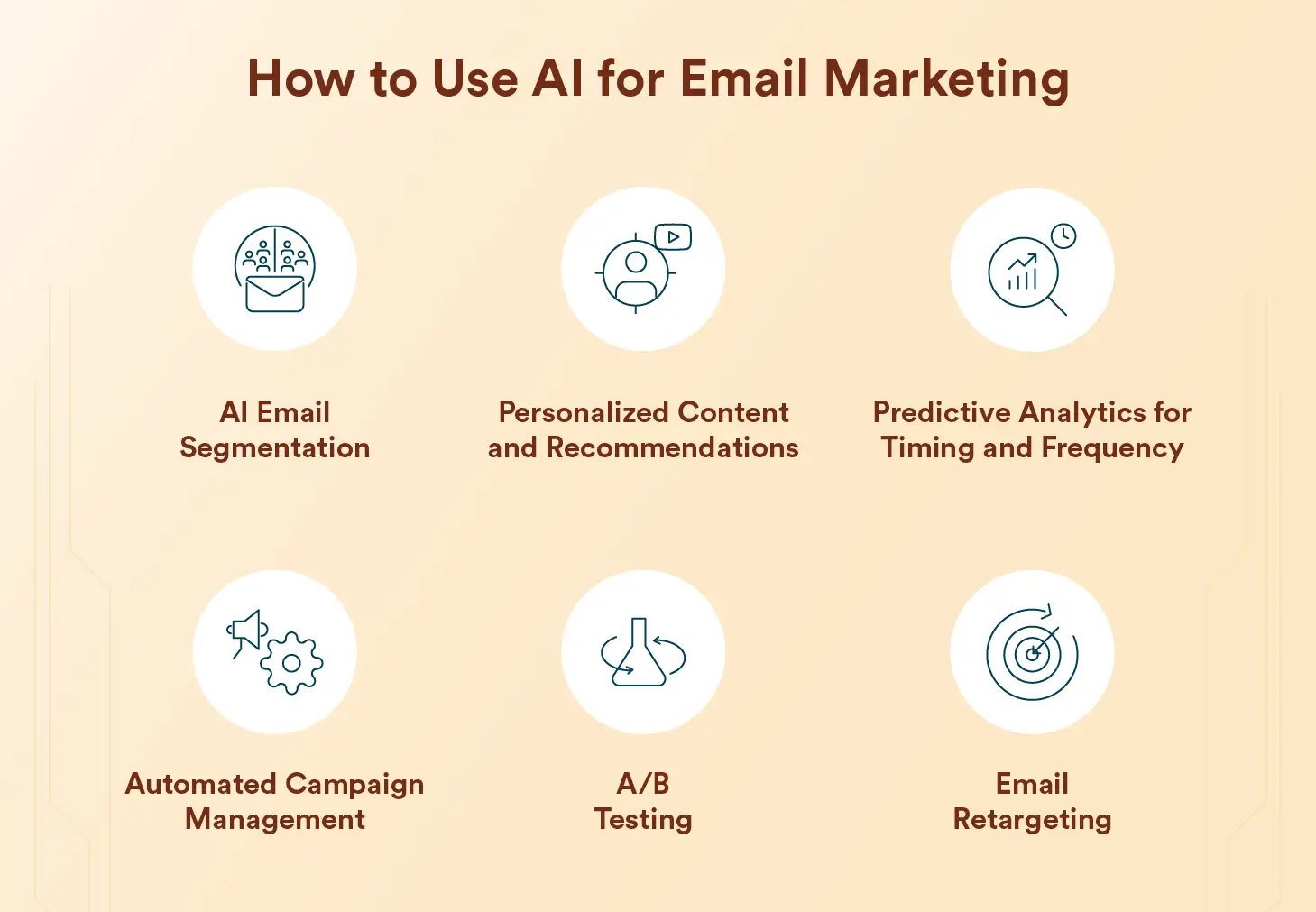
      • Audience Segmentation: AI can analyze vast amounts of data to create highly nuanced and dynamic customer segments.4
      • A/B Testing: AI can streamline the process of testing multiple email variations, accelerating optimization.5
      • Basic Content Generation: AI can generate initial drafts for welcome emails, transactional emails, or even product descriptions, freeing up your time.6
      • Data Analysis & Reporting: AI can quickly process campaign data and provide insights that would take humans hours to compile.7
    • Hyper-Personalization at Scale: AI excels at processing data to deliver extremely personalized content.8 Use it to:
      • Tailor product recommendations: Based on Browse history and past purchases.9
      • Customize content: Dynamically adjust content blocks based on user preferences and behavior.10
      • Predict customer lifetime value: To focus efforts on high-value subscribers.

    2. Lean into the “Human Touch” – What AI Cannot Replicate:

    • Authentic Brand Voice & Storytelling: AI can mimic, but it struggles with genuine emotion, humor, and truly unique brand storytelling.11 Your distinct brand voice and narrative will resonate more deeply with your audience.
    • Empathy and Emotional Intelligence: For sensitive topics, customer service interactions, or building genuine rapport, human empathy is irreplaceable.12
    • Strategic Creativity & Innovation: While AI can generate ideas, true creative breakthroughs, unconventional campaigns, and out-of-the-box thinking still require human ingenuity.13
    • Relationship Building: Email marketing isn’t just about sales; it’s about building long-term relationships.14 Humans excel at fostering trust, loyalty, and community.15
    • Understanding Nuance and Context: AI might miss subtle cues or misunderstand complex human emotions.16 Human marketers can interpret situations and provide personalized responses that an AI might not grasp.
    • Ethical Oversight and Bias Correction: AI models can inherit biases from their training data.17 Human marketers are crucial for monitoring AI outputs, ensuring ethical practices, and preventing discriminatory or inappropriate content.18
    • Handling Unexpected Situations: When a crisis arises, or an unusual customer query comes in, human judgment and adaptability are essential.19 AI operates within predefined parameters.20

    3. Focus on High-Value Activities:

    • Strategy and Planning: With AI handling repetitive tasks, you can dedicate more time to developing overarching email marketing strategies, identifying new opportunities, and aligning email efforts with broader business goals.21
    • Creative Direction and Refinement: Focus on crafting compelling narratives, designing visually appealing emails, and ensuring the “human touch” is present in every message, even those initially drafted by AI.22
    • Relationship Management: Spend time nurturing relationships with key subscribers, engaging with feedback, and building a community around your brand.23
    • Staying Ahead of Trends: Continuously monitor industry trends, competitor activities, and new technologies to ensure your email marketing remains cutting-edge.

    4. Ethical Considerations:

    • Data Privacy and Consent: Always prioritize user privacy and ensure clear consent for data collection and usage.24 Be transparent about how AI is being used in your email marketing.
    • Algorithmic Bias: Be aware of potential biases in AI algorithms and actively work to mitigate them by ensuring diverse and representative training data (if you’re involved in AI development) or by scrutinizing AI-generated content for fairness.25
    • Transparency: Disclose when AI is being used to generate content or personalize messages, especially if it’s not immediately obvious.26 Building trust with your audience is paramount.

    In conclusion, the future of email marketing isn’t about AI replacing humans, but rather about a powerful synergy. By understanding AI’s strengths and weaknesses, you can leverage it for efficiency and scale, while simultaneously amplifying the unique human qualities that foster genuine connection and brand loyalty.

  • The Zero Click Internet

    The Zero Click Internet

    The Web is Undergoing Its Biggest Change Yet

    The internet is in the midst of undergoing the biggest change since its inception. It’s huge. And there is no going back.

    The web is changing into the Zero Click Internet, and it will change everything about how you do everything. Zero Click Internet means you’ll no longer click on links to find the content you want. In fact, much of the internet already works this way.

    SOURCE and to READ more at: https://www.techspot.com/article/2908-the-zero-click-internet/

  • Will email marketing still work in 2025 and beyond?

    Will email marketing still work in 2025 and beyond?

    Yes, email marketing is not only still effective in 2025 and beyond, but it continues to be a powerful and essential tool for businesses.1 Here’s why:

    Key Reasons for Email Marketing’s Enduring Effectiveness:

    • High Return on Investment (ROI): Email marketing consistently delivers one of the highest ROIs compared to other marketing channels. Studies estimate an average ROI of $36 to $42 for every dollar spent. This is attributed to its low cost and ability to target specific audiences.2 For example, in India, the ROI is estimated to be even higher at 48:1 due to high mobile penetration and lower campaign costs.
    • Direct Access to a Captive Audience: Email allows you to communicate directly with individuals who have willingly subscribed to receive your messages. This provides a direct and unfiltered line to your audience, unlike social media platforms where algorithms can limit your reach.3
    • Building Stronger Customer Relationships and Retention: Consistent email communication helps nurture leads, build trust, and foster long-term relationships with customers.4 Personalized emails and timely follow-ups can significantly improve customer loyalty.5
    • Measurable and Actionable Analytics: Email marketing platforms provide detailed metrics such as open rates, click-through rates, conversion rates, and bounce rates.67 These analytics allow you to track campaign performance, understand audience engagement, and make data-driven adjustments for better results.8
    • Personalization at Scale: Advances in AI and automation enable hyper-personalization of email content based on individual customer data, including past behavior, preferences, and demographics.9 This makes emails more relevant and engaging, leading to higher open and click-through rates.10
    • Automation for Efficiency: Email automation tools allow you to create complex workflows triggered by specific customer actions or behaviors.11 This streamlines communication, saves time, and ensures timely delivery of relevant messages throughout the customer lifecycle, from onboarding to post-purchase follow-ups and re-engagement campaigns.12
    • Mobile-First Approach: With a significant majority of emails being opened on mobile devices (over 85% in India), optimizing emails for mobile is crucial. Modern email marketing tools make it easy to create responsive designs that provide a seamless experience across all screen sizes.
    • Cost-Effectiveness: Compared to many other marketing channels, email marketing is relatively inexpensive, making it accessible to businesses of all sizes.1314

    Emerging Trends Further Strengthening Email Marketing in 2025 and Beyond:

    • Artificial Intelligence (AI): AI is revolutionizing email marketing by enabling smarter personalization, content generation, send-time optimization, predictive analytics, and enhanced segmentation.15 AI-powered tools help analyze vast datasets to understand user behavior and preferences, leading to more effective campaigns.16
    • Interactive Email Content: Static emails are becoming less engaging. Interactive elements like polls, quizzes, surveys, embedded videos, and even gamification are being incorporated into emails to boost engagement and collect valuable data directly within the inbox.17
    • Enhanced Privacy and Compliance: With increasing concerns about data privacy and stricter regulations like GDPR and India’s Digital Personal Data Protection Act (DPDP), email marketing is focusing on building trust through transparent data practices and permission-based marketing.18
    • Advanced Segmentation: Marketers are moving beyond basic segmentation to more advanced techniques based on behavior, purchase history, and engagement levels to send highly relevant messages to specific subscriber groups.19
    • Omnichannel Integration: Email marketing is increasingly being integrated with other marketing channels like social media, SMS, and in-app notifications to create a cohesive and seamless customer experience.20
    • User-Generated Content (UGC): Incorporating customer reviews, testimonials, and user-generated photos in email campaigns enhances authenticity and builds trust.21
    • Sustainability in Email Marketing: Businesses are becoming more conscious of the environmental impact of their marketing efforts, focusing on reducing unnecessary sends, optimizing image sizes, and adopting other eco-friendly practices.
    • Dynamic AMP Emails: Accelerated Mobile Pages (AMP) technology allows for dynamic content within emails, enabling users to perform actions like filling out forms or browsing products without leaving their inbox.22
    • Email Accessibility: Ensuring emails are accessible to people with disabilities is becoming a greater focus, with marketers paying attention to clear color contrasts, simple language, accessible fonts, and alternative text for images.

    In conclusion, email marketing remains a robust and evolving channel in 2025.23 By staying informed about emerging trends and focusing on personalization, engagement, and providing value to subscribers, businesses can continue to leverage email marketing for significant results in the years to come. Ignoring email marketing in favor of newer, “shinier” platforms could be a costly mistake for businesses looking to build strong customer relationships and drive revenue.

  • How to structure and train effective labeling teams that leverage human insight to create robust datasets for machine learning success?

    How to structure and train effective labeling teams that leverage human insight to create robust datasets for machine learning success?

    Ah, building and nurturing effective labeling teams – it’s truly the bedrock of successful machine learning! You’re aiming for that sweet spot where human intuition fuels the creation of high-quality, robust datasets. Let’s explore how to structure and train these teams to achieve just that.

    Structuring Your Labeling Teams

    The ideal structure often depends on the complexity of your data, the scale of your project, and the level of specialization required. Here are a few common models and considerations:

    1. Centralized Team:

    • Structure: A single, dedicated team handles all labeling tasks across different projects or data types.
    • Pros: Consistent labeling standards, easier knowledge sharing and training, efficient resource allocation, strong team culture.
    • Cons: Potential bottleneck for multiple projects, might lack domain-specific expertise for certain tasks.

    2. Decentralized/Project-Based Teams:

    • Structure: Smaller, dedicated teams are formed for specific projects or data types, often integrating with the broader project team.
    • Pros: Deeper domain understanding, faster turnaround for specific projects, greater ownership and accountability.
    • Cons: Potential for inconsistent labeling across projects, duplicated training efforts, challenges in knowledge sharing.

    3. Hybrid Model:

    • Structure: Combines elements of centralized and decentralized teams. A core team might handle general labeling and training, while specialized sub-teams or individuals are brought in for specific needs.
    • Pros: Balances consistency with domain expertise and project-specific focus.
    • Cons: Requires careful coordination and communication to avoid silos.

    Key Structural Considerations:

    • Team Size and Composition: Consider the volume and complexity of data. Include a mix of skills if needed (e.g., linguistic experts, medical professionals).
    • Roles and Responsibilities: Clearly define roles such as labelers, reviewers, trainers, and team leads.1
    • Communication Channels: Establish clear pathways for questions, feedback, and issue resolution.
    • Workflow Integration: Seamlessly integrate the labeling process with your data pipeline and machine learning workflow.2

    Training Your Labeling Teams for Success

    Effective training is paramount to ensuring accuracy, consistency, and efficiency.3 Here’s a comprehensive approach:

    1. Onboarding and Foundational Training:

    • Company and Project Overview: Provide context on the project goals and the importance of their role.
    • Data Understanding: Thoroughly explain the data format, sources, and any relevant nuances.
    • Tooling and Platform Training: Offer hands-on training on the labeling tools and platforms they will be using, including features, shortcuts, and best practices.
    • Data Security and Privacy: Emphasize the importance of data confidentiality and compliance.

    2. Task-Specific Training:

    • Detailed Labeling Guidelines: Create clear, comprehensive, and well-documented guidelines with specific examples (both positive and negative). Use visual aids and flowcharts where helpful.
    • Annotation Best Practices: Train on techniques for accurate and consistent annotation, addressing edge cases and ambiguities.
    • Quality Standards and Metrics: Explain the quality metrics used (e.g., inter-annotator agreement) and the expected standards.
    • Common Errors and How to Avoid Them: Proactively address potential pitfalls and provide strategies for error prevention.4

    3. Continuous Learning and Skill Development:

    • Regular Feedback Sessions: Provide constructive feedback on individual and team performance, highlighting areas for improvement and good work.5
    • Refresher Training: Conduct periodic refreshers to reinforce guidelines and address any emerging issues or changes.
    • Advanced Training: Offer opportunities for skill development in more complex labeling tasks or specialized domains.
    • Knowledge Sharing Forums: Encourage collaboration and knowledge exchange among team members through regular meetings or internal platforms.6
    • Incorporating Feedback into Guidelines: Continuously update and refine the labeling guidelines based on feedback from the team and quality reviews.7

    4. Leveraging Human Insight:

    • Encourage Questions and Discussions: Foster an environment where labelers feel comfortable asking questions and discussing challenging cases. Their insights can be invaluable for refining guidelines.
    • Subject Matter Expert Collaboration: If possible, involve subject matter experts in the training process and for clarifying complex or ambiguous data points.8
    • Pilot Projects and Iteration: Start with small pilot projects to test the guidelines and identify areas for improvement before scaling up.
    • Error Analysis and Learning: Analyze labeling errors to understand the root causes and adjust training or guidelines accordingly.9
    • Gamification and Motivation: Consider incorporating elements of gamification or recognition programs to keep the team engaged and motivated.

    Key Principles for Effective Training:

    • Clarity and Conciseness: Ensure training materials are easy to understand and avoid jargon.
    • Practical Application: Emphasize hands-on exercises and real-world examples.
    • Accessibility: Make training materials readily available and easily searchable.
    • Iterative Improvement: Continuously evaluate and improve the training program based on feedback and performance data.10

    By thoughtfully structuring your labeling teams and investing in comprehensive and ongoing training, you can empower them to leverage their human insight effectively, ultimately leading to the creation of high-quality datasets that drive machine learning success. Remember that this is an iterative process, so be prepared to adapt and evolve your approach as you learn and grow.

  • TOP AI tools to enhance various aspects of work and life

    TOP AI tools to enhance various aspects of work and life

    AI tools are software and platforms that leverage artificial intelligence to automate tasks, solve problems, and enhance various aspects of work and life. They utilize machine learning, natural language processing, and computer vision to deliver solutions. Examples include tools for writing, image generation, video editing, and more. [1, 2, 3, 4, 5, 6, 7]

    Here’s a breakdown of different AI tool categories: [7, 8, 9, 10, 11, 12, 13]

    1. Text-Based AI Tools: [7, 8, 9, 10, 11, 12, 13]

    • Writing Assistants: Tools like Grammarly, Jasper AI, and CopyAI, Inc help with writing, editing, and generating content. [7, 8, 9, 10, 11, 12, 13]
    • Chatbots: AI-powered chatbots, like ChatGPT, can handle customer service, answer questions, and even provide assistance with tasks, says Devtorium. [14, 15]
    • AI Copywriting Tools: Tools like Jasper AI and CopyAI can automate the creation of marketing copy, social media posts, and other written content. [2, 11, 12, 16, 17, 18]

    2. Image-Based AI Tools: [7, 19, 20, 21]

    • Image Generators: Tools like DALL-E and Midjourney can generate realistic or artistic images from text prompts. [7, 19, 20, 21]
    • Image Editors: Adobe Photoshop and other platforms integrate AI for photo editing, enhancements, and object removal. [22, 23, 24, 25, 26]

    3. Video-Based AI Tools: [14, 22, 27, 28, 29, 30]

    • Video Generators: Tools like Synthesia and Adobe Premiere Pro can create videos from text or scripts, often using AI-generated avatars. [14, 22, 27, 28, 29, 30]
    • Video Editors: Wondershare Filmora and Adobe Premiere Pro offer AI-powered tools for video editing, including noise reduction, object removal, and more. [22, 30, 31, 32, 33, 34]

    4. Other AI Tools: [35, 36, 37, 38, 39, 40, 41]

    • AI Audio Generators: Tools like ElevenLabs can generate realistic speech or music from text or audio input. [35, 36, 37, 38, 39, 40, 41]
    • AI Productivity Tools: Tools like Notion AI can assist with note-taking, task management, and project planning. [3, 42, 43]
    • AI Business Tools: Google Cloud provides AI-powered services for various business applications, including data analytics and machine learning. [44]

    5. AI Platforms: [45, 46, 47, 48, 49]

    • AI Platforms: TensorFlow and PyTorch are popular AI platforms for developing and deploying machine learning models. [45, 46, 47, 48, 49]

    6. AI-Powered Applications: [44, 50, 51, 52, 53]

    • AI-driven applications: Tableau and Microsoft Copilot are examples of AI-powered applications that offer a range of features, from data analysis to assistance with various tasks. [44, 50, 51, 52, 53]

    Generative AI is experimental.

    [1] https://www.tavus.io/post/what-is-an-ai-tool

    [2] https://www.rapidops.com/blog/generative-ai-tools/

    [3] https://picsart.com/blog/best-ai-websites/

    [4] https://www.hostinger.in/tutorials/ai-tools

    [5] https://www.shopify.com/blog/ai-tools

    [6] https://www.futurepedia.io/ai-tools

    [7] https://builtin.com/artificial-intelligence/ai-tools

    [8] https://storychief.io/blog/ai-writing-tool

    [9] https://www.sciencedirect.com/science/article/abs/pii/S1472811724001125

    [10] https://www.linkedin.com/pulse/rise-ai-powered-content-creation-tools-clinic-of-ai-pnejf

    [11] https://www.clientjoy.io/blog/ai-copywriting-tools

    [12] https://www.tealhq.com/company/copyai

    [13] https://onopia.com/copy-ai-la-solution-de-copywriting-des-growth-hackers/

    [14] https://www.synthesia.io/post/ai-tools

    [15] https://devtorium.com/blog/ai-mobile-app-development-app-ideas-for-startups/

    [16] https://hightouch.com/blog/ai-marketing-tools

    [17] https://www.guvi.in/blog/top-generative-ai-use-cases/

    [18] https://www.techfunnel.com/martech/proven-ai-marketing-techniques-part-1/

    [19] https://www.v7labs.com/blog/best-ai-tools-listed

    [20] https://www.xyplanningnetwork.com/advisor-blog/navigating-the-ai-revolution-what-financial-advisors-need-to-know

    [21] https://www.tpointtech.com/what-is-dall-e

    [22] https://zapier.com/blog/generative-ai-tools/

    [23] https://pressbooks.pub/publication/chapter/what-is-photo-ai-a-beginners-guide-to-ai-powered-image-editing/

    [24] https://mindesigns.com.au/blog/free-ai-tools-for-affiliate-marketing/

    [25] https://www.sessions.edu/campus-news/photoshop-new-generative-ai-tools-for-creatives/

    [26] https://phlearn.com/tutorial/ultimate-guide-to-ai-in-photoshop/

    [27] https://thriveagency.com/news/35-top-ai-marketing-tools-2024/

    [28] https://www.coursera.org/articles/ai-video-editing

    [29] https://libguides.lib.hkmu.edu.hk/c.php?g=965744&p=7022991

    [30] https://www.tavus.io/post/best-ai-video-editors

    [31] https://aitoptools.com/

    [32] https://www.nutshell.com/blog/best-ai-productivity-tools

    [33] https://www.lyzr.ai/blog/top-20-gen-ai-tools-for-every-industry/

    [34] https://mashable.com/video/adobe-generative-ai-video

    [35] https://zapier.com/blog/best-ai-productivity-tools/

    [36] https://zapier.com/blog/generative-ai-tools/

    [37] https://www.moveworks.com/us/en/resources/blog/best-enterprise-generative-ai-tools

    [38] https://www.eu-startups.com/2024/10/unleash-the-power-of-ai-10-tools-to-skyrocket-your-business/

    [39] https://www.cloudcampaign.com/blog/the-best-ai-content-creation-tools-for-social-media-managers

    [40] https://www.hollyland.com/blog/ai-audio-generators

    [41] https://digiday.com/media/ai-briefing-generative-ai-and-search-are-becoming-increasingly-intertwined-and-top-of-mind/

    [42] https://www.mentimeter.com/blog/business/ai-tools

    [43] https://elevenlabs.io/blog/best-ai-productivity-tools

    [44] https://cloud.google.com/use-cases/free-ai-tools

    [45] https://www.debutinfotech.com/blog/ai-tools-and-frameworks

    [46] https://www.linkedin.com/pulse/top-16-ai-frameworks-libraries-beginners-guide-nitesh-dan-charan-irbnf

    [47] https://insideainews.com/2023/11/24/emerging-tools-and-frameworks-in-ai-a-comparative-analysis/

    [48] https://www.getguru.com/reference/ai-platforms

    [49] https://www.freshminds.co.uk/blog/2024/12/why-open-source-ai-matters

    [50] https://zapier.com/blog/best-ai-social-media-management/

    [51] https://learn.microsoft.com/en-us/copilot/microsoft-365/microsoft-365-copilot-overview

    [52] https://marutitech.com/how-to-effectively-apply-genai/

    [53] https://www.geekwire.com/2024/tableau-releases-einstein-copilot-features-in-beta-as-part-of-salesforces-broader-ai-rollout/

  • A sales prospecting list or a lead list

    A sales prospecting list or a lead list

    A sales prospecting list, or lead list, is a curated database of potential customers that align with your ideal customer profile (ICP) and are likely to be interested in your product or service. Researching and building a prospect list involves gathering information about potential customers, such as their company details, industry, job titles, and contact information, to facilitate targeted outreach and increase sales conversion rates. [1, 2, 3, 4]

    Here’s a more detailed breakdown:

    1. What is a Sales Prospecting List? [1, 2]

    • It’s a collection of potential customers who fit your ICP and are worth targeting with sales efforts. [1, 2]
    • It’s also known as a prospecting list or a lead list. [1]
    • The goal is to identify prospects with a high probability of becoming customers. [1, 5]

    2. What to Include in a Prospect List? [2, 3]

    • Company Information: Company name, industry, size, location, website, phone number, and any pertinent information about the company’s business, market, and geographic location. [2, 3]
    • Prospect Information: Prospect’s name, job title, email address, phone number, preferred communication method, and any prior interactions with your company. [2, 3]
    • Additional Data: [3]
    • Industry: Tailor your messaging to their specific industry needs. [3]
    • Job Title: Understand if they are a decision-maker or an end-user. [3]
    • Company size and location: This helps determine if they are a good fit for your solution. [3]
    • Buyer intent data: Understand their buying signals, such as website visits or content downloads. [6, 7]
    • Technographics: Understand their tech stack, including software and hardware. [6, 7]
    • Chronographics: Be aware of any company changes or events that might impact their decision. [6, 7]
    • Lead Scoring: Prioritize prospects based on their likelihood to convert into customers. [6, 8]

    3. How to Build a Prospect List? [9, 9]

    • Identify Your ICP: Define the characteristics of your ideal customer. [9, 9]
    • Research and Data Collection: Use various sources like referrals, social media, B2B databases, and prospecting tools to gather information. [1, 1, 10, 10]
    • CRM Integration: Utilize CRM software to store and manage your prospect list, track interactions, and automate tasks. [11, 11, 12, 12]
    • Data Enrichment: Fill in gaps in your data by using enrichment tools to verify information and add relevant details. [11, 11, 13, 13]
    • Prioritize and Qualify: Rank prospects based on their fit with your ICP and their level of engagement. [5, 8, 8, 14, 14, 15, 16]

    4. Why is a Prospect List Important? [1, 1, 4, 4]

    • Targeted Outreach: Focus your efforts on prospects who are most likely to be interested in your product or service. [1, 1, 4, 4]
    • Increased Conversion Rates: Personalized outreach and messaging can lead to higher conversion rates. [4, 4, 17, 17]
    • Improved Sales Efficiency: By focusing on qualified leads, you can save time and resources. [1, 1]
    • Better ROI: Targeted sales efforts result in more effective use of your budget. [1, 1, 18]

    5. Key Considerations: [11, 11]

    • Data Accuracy: Ensure your list is accurate and up-to-date by regularly updating contact information and removing inactive leads. [11, 11]
    • Engagement Monitoring: Track how prospects interact with your outreach efforts to refine your targeting and personalize your messaging. [11, 11]
    • Data Privacy: Adhere to data privacy regulations and obtain appropriate consent when collecting and using personal information. [2, 11, 11, 19]
    • Lead Scoring: Use lead scoring to prioritize prospects based on their likelihood to convert. [8, 8]
    • CRM Integration: Use CRM software to manage your prospect list, track interactions, and automate tasks. [11, 12, 12, 20, 21]

    Generative AI is experimental.

    [1] https://clearout.io/blog/sales-prospecting-list/

    [2] https://www.indeed.com/career-advice/career-development/how-to-build-sales-prospecting-list

    [3] https://www.klenty.com/blog/build-a-prospect-list/

    [4] https://www.abstraktmg.com/build-sales-prospecting-list/

    [5] https://kylas.io/sales-strategy/sales-prospecting-strategies

    [6] https://www.cognism.com/blog/prospecting-list

    [7] https://sopro.io/resources/blog/prospecting-list/

    [8] https://trafficradius.com.au/sales-prospecting-lists/

    [9] https://smith.ai/blog/create-prospect-list-with-template

    [10] https://sellingsignals.com/buy-email-list/

    [11] https://predictableprofits.com/how-to-build-a-sales-prospect-list-in-2025/

    [12] https://www.e-marketingassociates.com/blog/how-to-improve-your-sales-prospecting-process

    [13] https://evaboot.com/blog/prospecting-list

    [14] https://www.prialto.com/blog/prospecting-prospect-research

    [15] https://pipeline.zoominfo.com/sales/build-sales-prospect-list

    [16] https://www.linkedin.com/advice/3/how-can-you-identify-most-promising-prospects-xflyf

    [17] https://phantombuster.com/blog/automation/prospect-list-building-5TUCTQ0Zr6StnPABnD3Pnw

    [18] https://www.scottsdirectories.com/email-list-database/

    [19] https://www.multiplymii.com/client-blog/lead-generation-services

    [20] https://breadcrumbs.io/revenuepedia/what-is-sales-prospecting/

    [21] https://www.act.com/blog/what-is-lead-scoring-and-how-can-it-boost-conversions/

  • What is the future of email marketing?

    What is the future of email marketing?

    The future of email marketing is dynamic and will be shaped by several key trends in 2025 and beyond. Here’s a breakdown of what you can expect:

    Key Trends Shaping the Future of Email Marketing:

    • Hyper-Personalization: Moving beyond basic personalization like using a recipient’s name, the future will see a deeper level of individualization. AI and advanced data analytics will enable marketers to tailor email content, product recommendations, offers, and even sending times based on past behavior, preferences, purchase history, and real-time context. This creates a feeling that emails are crafted specifically for each recipient.
      • Example: An e-commerce store might send an email featuring products a customer recently viewed on their website, along with a special discount on those items.
    • Artificial Intelligence (AI) Integration: AI is becoming a powerful force in email marketing, assisting with various tasks to improve efficiency and effectiveness.
      • Content Creation: AI tools can generate compelling subject lines, email body copy, and calls to action, freeing up marketers for strategic tasks. They can also help brainstorm ideas and create variations for A/B testing.
      • Segmentation: AI can analyze large datasets to identify patterns and create more sophisticated audience segments based on behavior, engagement levels, and predicted future actions.
      • Send-Time Optimization: AI algorithms can determine the optimal time to send emails to individual recipients based on their past engagement, increasing open and click-through rates.
      • Predictive Analytics: AI can analyze historical data to forecast campaign performance, identify trends, and provide insights for better decision-making.
      • Deliverability: AI can help ensure emails land in the inbox by analyzing content, sender reputation, and engagement metrics to suggest improvements.
    • Interactive Email Content: Static emails are becoming less engaging. The future will see more interactive elements embedded directly within emails, such as:
      • Polls and Surveys: To gather feedback and increase engagement.
      • Quizzes and Games: To entertain and collect data.
      • Image Carousels and Animated Galleries: To showcase products dynamically.
      • Clickable Hotspots: To provide more information within the email.
    • Enhanced Data Privacy and Security: With increasing concerns about data privacy and regulations like GDPR and CCPA, the future of email marketing will emphasize:
      • Transparency: Clearly communicating how data is collected and used.
      • Consent Mechanisms: Implementing robust opt-in processes.
      • Zero-Party Data: Encouraging subscribers to voluntarily share their preferences.
      • Secure Protocols: Utilizing advanced encryption and security measures.
    • Mobile-First Design and Optimization: A significant portion of emails are opened on mobile devices. Future email marketing will prioritize creating seamless and engaging experiences for mobile users with:
      • Responsive Design: Ensuring emails adapt to different screen sizes.
      • Concise Content: Using short paragraphs and clear calls to action.
      • Thumb-Friendly Navigation: Making buttons and links easy to tap.
      • Dark Mode Optimization: Ensuring emails look good in both light and dark settings.
    • Automation and Triggered Emails: Automation will become even more sophisticated, allowing marketers to engage with customers throughout their journey with personalized and timely messages triggered by specific actions, such as:
      • Welcome Emails: For new subscribers.
      • Abandoned Cart Reminders: For incomplete purchases.
      • Birthday or Anniversary Emails: With special offers.
      • Follow-up Emails: Based on website activity or past purchases.
    • Focus on Deliverability: With crowded inboxes, ensuring emails reach their intended recipients will be crucial. This involves:
      • Maintaining a Clean Email List: Removing inactive or invalid addresses.
      • Improving Sender Reputation: By focusing on engagement and providing valuable content.
      • Utilizing Authentication Protocols: Like BIMI (Brand Indicators for Message Identification) to build trust and display brand logos.
    • Integration with Omnichannel Strategies: Email marketing will increasingly be integrated with other marketing channels like SMS, social media, and web push notifications to create a cohesive and consistent customer experience.
    • Sustainability and Ethical Marketing: Environmental awareness will influence email marketing practices, with a focus on:
      • Reducing Email Size: Optimizing images and minimizing complex code.
      • Cleaning Contact Lists: Sending fewer but more relevant emails.
      • Targeted Segmentation: To reduce unnecessary email sends.
    • Interactive Video Content: As email clients increasingly support embedded videos, marketers will leverage this to create more engaging and dynamic content directly within emails.
    • User-Generated Content (UGC): Featuring customer reviews, testimonials, and social media posts within emails can build trust and credibility.

    Impact of AI on Email Marketing:

    AI is poised to revolutionize email marketing by enabling:

    • Enhanced Personalization at Scale: Delivering highly tailored content to vast audiences efficiently.
    • Automated Campaign Management: Streamlining tasks like A/B testing, send-time optimization, and follow-up sequences.
    • Improved Content Creation: Generating engaging and relevant email copy and visuals.
    • Data-Driven Insights: Analyzing large datasets to understand audience behavior and optimize campaigns for better results.
    • Increased Engagement and Conversions: By delivering more relevant and timely messages.

    In conclusion, the future of email marketing is bright and will be characterized by more personalized, interactive, data-driven, and automated experiences. Marketers who embrace these trends and leverage the power of AI will be well-positioned to connect with their audience effectively and achieve their marketing goals.

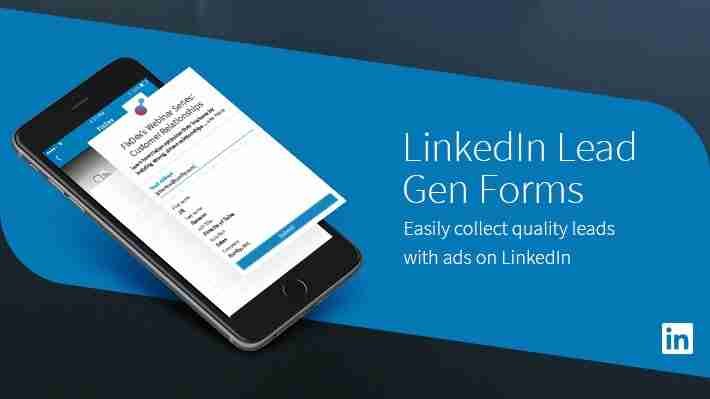
  • How LinkedIn Lead Gen Forms makes it easy to collect high-quality leads?

    How LinkedIn Lead Gen Forms makes it easy to collect high-quality leads?

    LinkedIn Lead Gen Forms streamline the process of collecting high-quality leads by offering several key advantages:1

    1. Seamless User Experience:

    • In-platform convenience: Users can submit their information without leaving the LinkedIn platform, reducing friction and increasing the likelihood of completion.2 This is unlike traditional methods that redirect users to external landing pages.
    • Pre-filled information: The forms are automatically pre-filled with accurate data from users’ LinkedIn profiles, such as their name, email address, job title, company, and location.3 This saves users time and effort, making it incredibly easy for them to submit their details with just a couple of clicks.4
    • Mobile-friendly: Lead Gen Forms are designed to work seamlessly on mobile devices, catering to LinkedIn’s large mobile user base.

    2. High-Quality Lead Data:

    • Accurate professional information: The data captured is based on users’ professional profiles, ensuring that the leads are more likely to be relevant to B2B businesses.5
    • Customizable questions: Beyond the pre-filled fields, you can add custom questions to gather specific information relevant to your business needs, helping you qualify leads effectively.6 You can include single-line input, multiple-choice questions, and custom checkboxes for consent.7
    • Hidden fields: You can also include hidden fields for tracking purposes, such as identifying the specific campaign or form the lead originated from, without the user seeing or needing to fill them.8

    3. Enhanced Targeting and Reach:

    • Precise audience targeting: LinkedIn’s powerful advertising platform allows you to target specific professional demographics based on job title, industry, company size, seniority, and more, ensuring your forms are seen by the right audience.9
    • Integration with ad formats: Lead Gen Forms can be attached to various LinkedIn ad formats, including Sponsored Content, Message Ads, Video Ads, and Carousel Ads, allowing you to reach your target audience in different ways.10

    4. Efficient Lead Management and Measurement:

    • Easy lead access: Leads collected through the forms can be easily downloaded from LinkedIn’s Campaign Manager in CSV format.11
    • Direct integrations: LinkedIn allows for direct integration with various CRM and marketing automation platforms (like HubSpot, Salesforce, Marketo), enabling seamless flow of leads into your existing systems for immediate follow-up and nurturing.12
    • Performance tracking: LinkedIn provides built-in reporting metrics such as cost per lead, lead form fill rate, and the number of leads generated from specific audience segments, making it easy to measure the ROI of your lead generation campaigns.13

    5. Increased Conversion Rates and ROI:

    • Higher conversion rates: By reducing friction and leveraging pre-filled data, Lead Gen Forms often result in significantly higher conversion rates compared to traditional landing pages.14 Some studies suggest conversion rates can be 2-3 times higher.
    • Cost-effective: Higher conversion rates and the ability to target specific audiences can lead to a lower cost per lead, improving the overall efficiency and ROI of your advertising spend.

    In summary, LinkedIn Lead Gen Forms simplify the lead capture process by leveraging the platform’s rich professional data and user-friendly interface.15 This results in a higher volume of quality leads with less effort for both the advertiser and the potential lead. The seamless integration with LinkedIn’s advertising and other marketing tools further enhances their effectiveness in B2B lead generation strategies.16